 Ask Alvin (AI Chat)
Getting Started with the Blog Tool
The Blog tool is used to create, publish, organize, and manage blog posts that appear on public Blog pages.
To access it, open the Blog tool from the Plugins accordion in the Mobi Console.
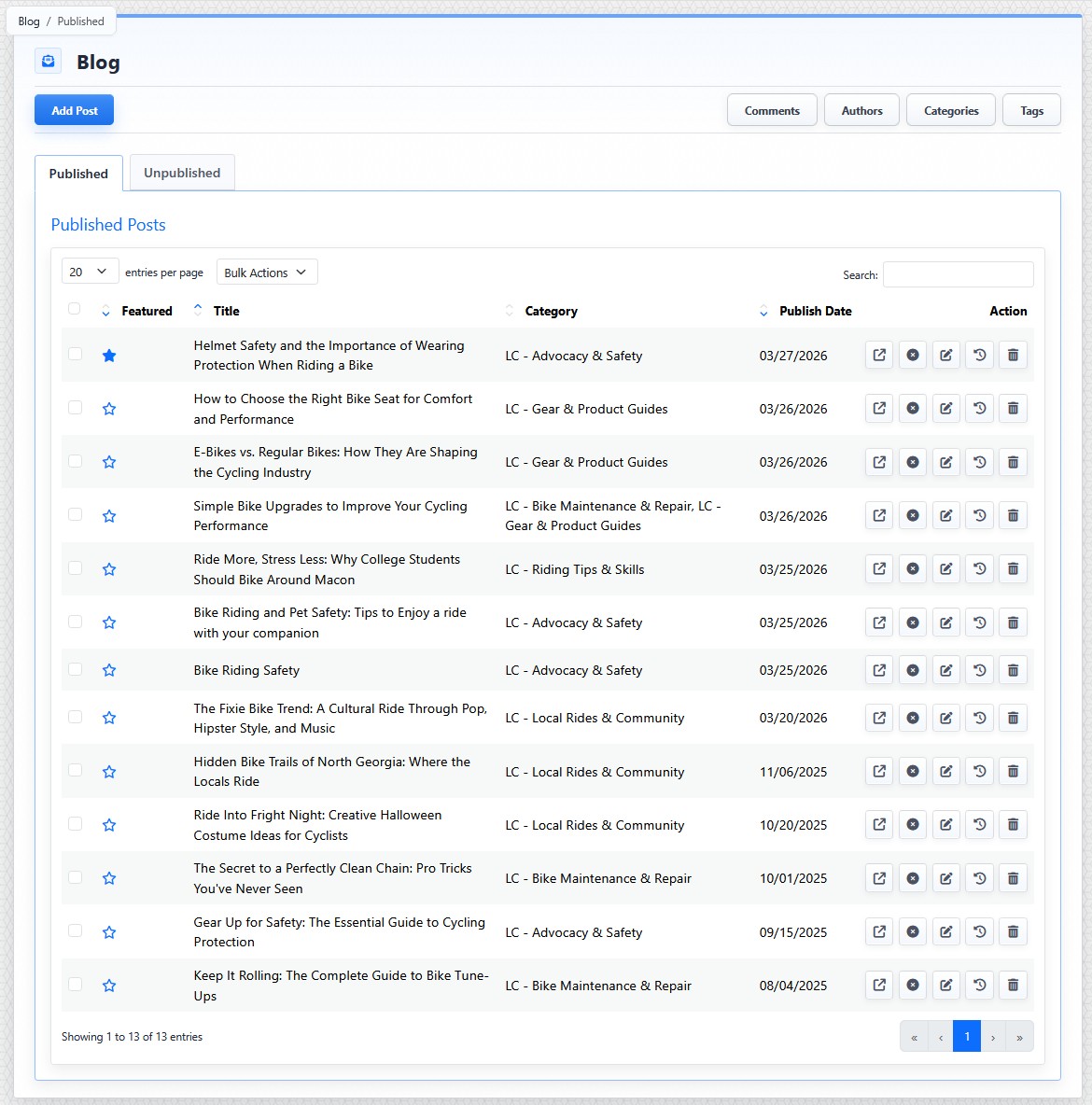
The Blog list view shows published posts, post actions, module buttons, and post management controls.
Post Tabs
The Blog list view opens to the post table. Posts are organized into two tabs:
- Published: shows posts currently available to the public.
- Unpublished: shows drafts or posts that are saved in the CMS but not currently public.
Both tabs use the same general table layout.
Post Table
The post table includes:
- Featured
- Title
- Category
- Publish Date
- Action buttons
The Featured column lets you mark a post as featured. Featured posts can receive special placement on public Blog pages, depending on the page layout being used.
The Title column shows the post title.
The Category column shows the post's assigned categories.
The Publish Date column shows when the post is scheduled to display or when it became public.
The Action buttons let you preview, publish or unpublish, edit, review history, or delete a post.
Main Controls
| Control | What It Does |
|---|---|
 |
Use Add Post to create a new post. |
 |
Use the module buttons near the top of the Blog tool to open related management areas: Comments, Authors, Categories, and Tags. |
Comments opens the Comments Manager, where you can review, approve, reject, edit, delete, or reply to visitor comments.
Authors opens the Author Manager, where you can create and manage author profiles used for blog posts and CMS replies to comments.
Categories and Tags are shared content-organization tools covered in separate articles. In Blog, categories help determine how posts are grouped and which posts can appear on specific public Blog pages. Tags add descriptive terms that can support filtering and discovery.
The controls you see depend on your CMS permissions. Users with restricted permissions may not be able to access all features.
Learn More
For row actions and bulk actions, see Understanding Blog Post Actions and Bulk Actions. For creating a post, see Adding or Editing a Blog Post. For comments, see Understanding Public Blog Comments and Moderating Blog Comments.