 Ask Alvin (AI Chat)
Understanding Public Blog Comments
Blog comments let visitors respond to a public blog post.
Comments must be enabled on the individual blog post before visitors can submit comments.
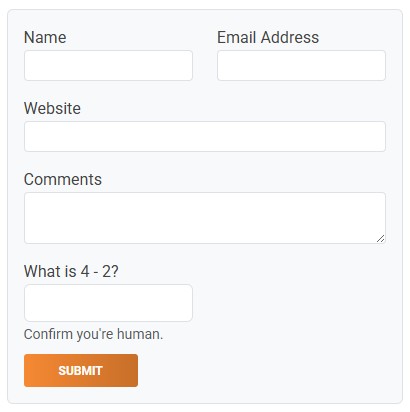
When comments are enabled on a Blog post, visitors can use the public comment form to submit a response.
Comment Form
When comments are enabled, the public post page shows the comment form.
The comment form can collect:
- Name
- Email Address
- Website
- Comment
- Human verification response
Name, Email Address, and Comment are required.
Verification and Moderation
After a visitor submits a comment, the visitor may need to verify the email address before the comment can appear. Verification helps prevent spam and confirms that the submitted email address belongs to the commenter.
Once an email address has been verified, future comments from that same email address can be trusted without requiring the same verification step again.
Depending on moderation settings, verified comments can appear immediately or wait for CMS review.
Public Replies
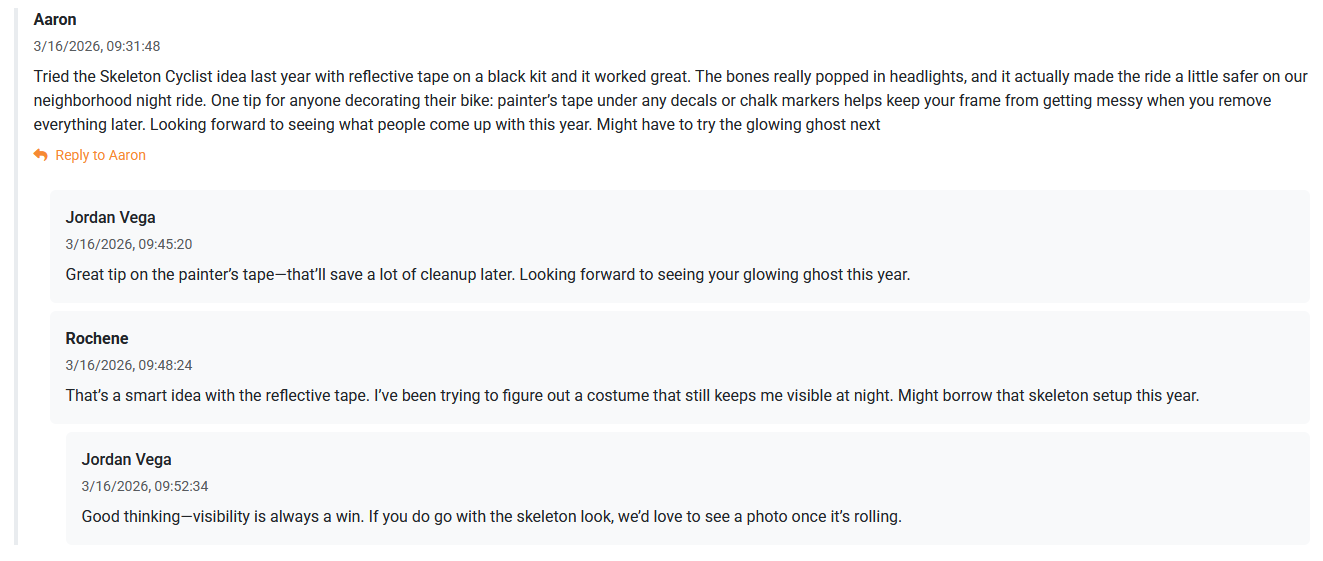
This example shows Aaron's public comment on the original blog post, the author's reply to Aaron, Rochene's public reply within the same thread, and the author's follow-up reply to Rochene.
Visitors can reply to top-level comments. A top-level comment is a comment made directly on the blog post.
Visitors cannot create unlimited nested reply threads. Public replies are kept to a simpler structure so comment discussions remain readable.
CMS users can reply to visitor comments from inside the Comments Manager. CMS replies are managed separately from visitor-submitted replies.
Learn More
For reviewing and approving comments, see Moderating Blog Comments. For CMS replies, see Replying to Blog Comments. For enabling comments on a post, see Setting Blog Post Details and Comment Options.