 Ask Alvin (AI Chat)
Using the SEO Assistant to Generate Page Metadata
The SEO Assistant helps generate suggested page metadata from the content and focus terms you provide. It can draft a page title and meta description, show a search preview, and apply the approved metadata to the page record managed through Menu Manager.
AI-generated metadata should be reviewed before it is saved. Make sure the suggested title and description accurately describe the page and use language appropriate for the site.
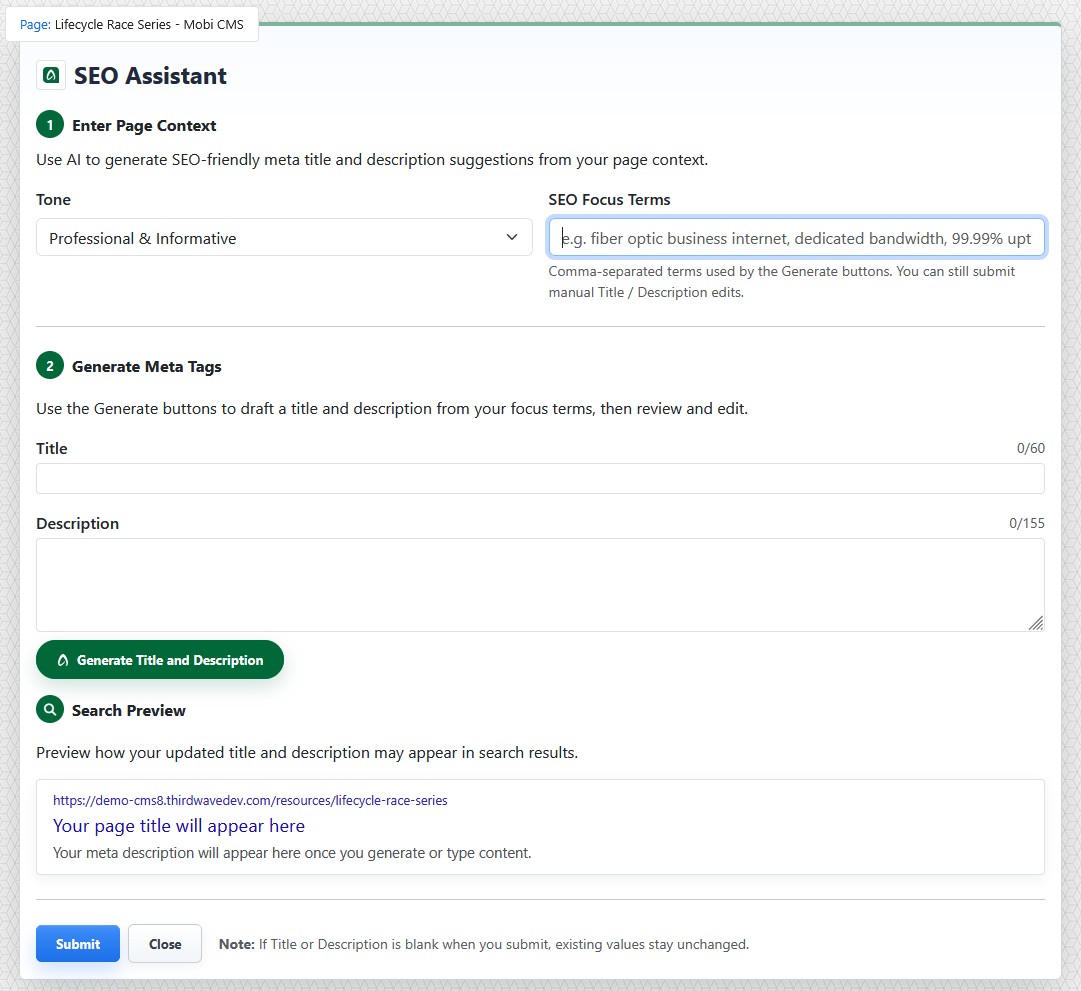
The SEO Assistant uses page context and focus terms to generate suggested metadata.
Entering Page Context
The SEO Assistant works by evaluating the page content. This context helps the assistant understand the page before it generates metadata. Always finish editing the page before using the SEO assistant.
Entering SEO Focus Terms
Use SEO Focus Terms to provide comma-separated terms that should guide the generated title and description.
Focus terms can include important services, products, locations, audiences, or search phrases related to the page.
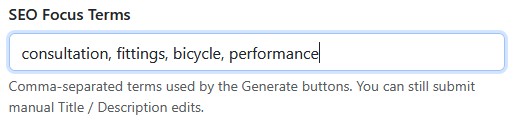
SEO Focus Terms help guide the generated page title and description.
Generating a Title and Description
Click Generate Title and Description to draft a page title and meta description from the page context and focus terms.
The generated Title field shows the proposed page title. The generated Description field shows the proposed meta description.
Review the character counts beside each field. Short, clear metadata is usually easier to scan in search results.
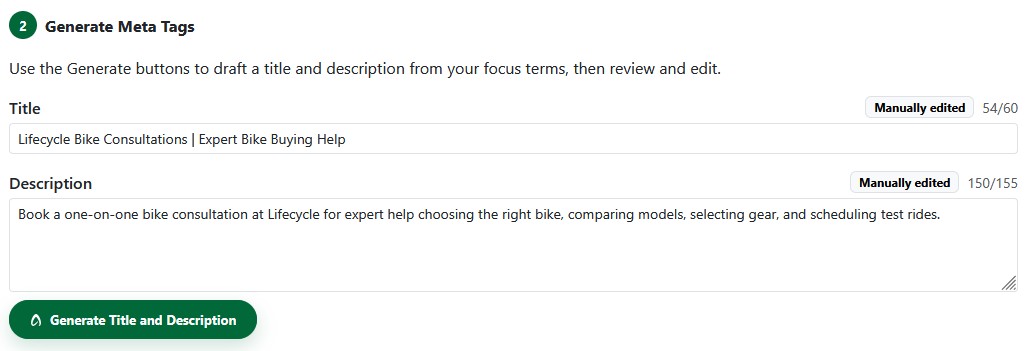
Generated metadata can be reviewed and edited before it is submitted.
Editing Generated Metadata
Generated metadata can be edited before it is saved.
If you manually edit the title or description, review the final text carefully before submitting it.
Leaving the title or description blank will not overwrite existing values or site defaults when you submit the SEO Assistant form.
Reviewing the Search Preview
The Search Preview shows how the updated title and description may appear in search results.
Use the preview to check whether the title and description read clearly together and accurately represent the page.

The Search Preview shows how the updated title and description may appear in search results.
Submitting Metadata
When the title and description are ready, click Submit.
The approved metadata is saved to the page record managed through Menu Manager.
Review Before Publishing
The SEO Assistant can help create useful metadata, but AI-generated suggestions can still be incomplete, inaccurate, or less specific than needed. Review all generated metadata before saving it to the page.