 Ask Alvin (AI Chat)
Using Slide Actions and Bulk Actions
The slide list includes row actions and bulk actions for managing slides.
The controls you see depend on your CMS permissions. Users with restricted permissions may not be able to access all features.
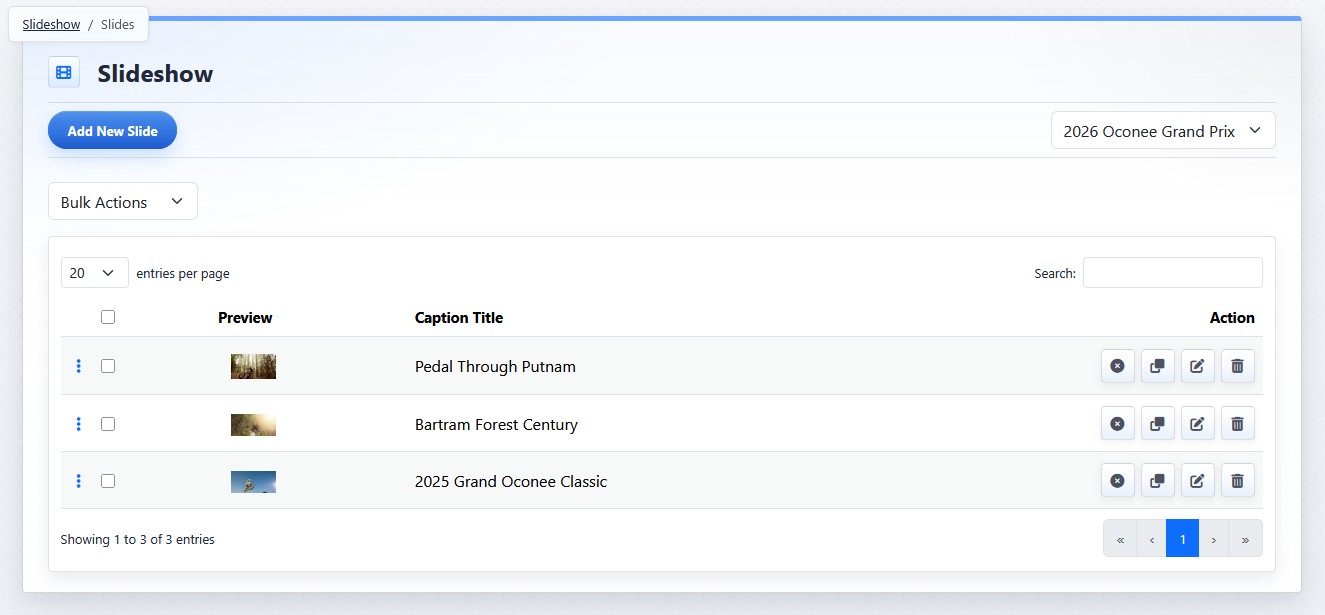
Slide row actions appear in the Action column of the slide list.
Slide Actions
Slide row actions include:
| Action | What It Does |
|---|---|
 |
Publish or Unpublish controls whether a slide can appear publicly. Unpublished slides remain visible in the CMS but do not appear in the public slideshow. |
 |
Clone creates a copy of the slide directly beneath the original. The copy inherits the original slide's media, caption, buttons, and appearance settings. |
 |
Edit opens the slide detail view so you can update slide media, visibility, caption, buttons, position, or appearance. |
 |
Delete removes the slide when it is no longer needed. |
Bulk Actions
Bulk action options can include:
- Bulk Edit
- Publish
- Unpublish
- Delete
Select one or more slides before applying a bulk action.
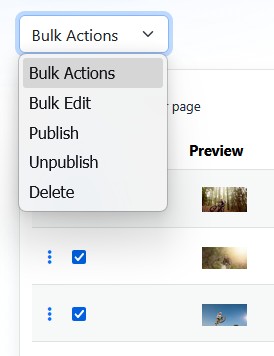
Bulk Actions apply to selected slides.
Note: If all slides are deleted from a slideshow, that slideshow may be removed from pages where it was previously displayed. Review a slideshow carefully before deleting all of its slides.
Learn More
For editing an individual slide, see Adding and Editing Slide Media. For changing the order of slides, see Reordering Slides. For managing the slideshow record, see Creating and Managing Slideshows.