 Ask Alvin (AI Chat)
Accessing, Searching, and Reviewing Redirects
The Redirects Manager is used to manage URL redirects for the website. A redirect sends visitors from an old or incorrect URL to a new destination URL.
Open the Redirects Manager from the System accordion.
When you open the Redirects Manager, the list view shows the redirects currently configured for the site. Each row represents one redirect rule.
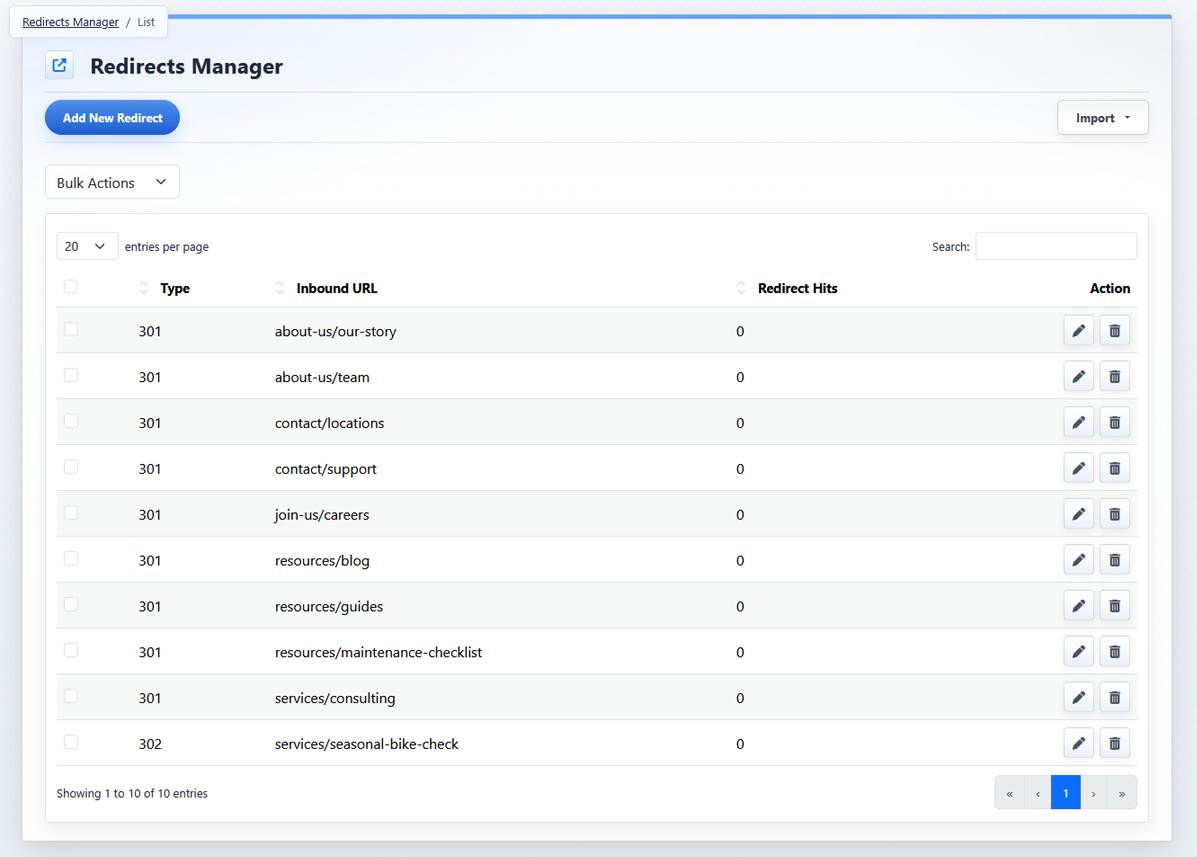
The Redirects Manager list view shows existing redirects, search and sorting controls, bulk actions, import options, and row actions.
Review the Redirect List
The Redirects Manager list includes these main columns:
- Bulk Select: checkboxes used to select redirects for Bulk Actions.
- Type: the redirect type, usually 301 or 302.
- Inbound URL: the old or incoming URL path visitors enter or follow.
- Redirect Hits: the number of times that redirect has been triggered.
- Action: buttons used to edit or delete an individual redirect.
Search and Sort Redirects
Use Search to filter the redirect list by URL or type. Search is useful when you need to find a specific inbound URL or review a group of related redirects.

Click a sortable column header to sort the table. The Type, Inbound URL, and Redirect Hits columns can be used to organize the list while reviewing redirects.

Use the entries-per-page control to change how many redirects are shown at one time.
List View Controls
The main list view controls are:
| Control | What it does |
|---|---|
 |
Add New Redirect opens the redirect detail view so you can create a new redirect. |
 |
Bulk Actions applies an action to selected redirects. |
 |
Import opens import options for adding or replacing redirects from a spreadsheet file. |
 |
Edit opens an existing redirect for changes. |
 |
Delete removes an individual redirect. |
The controls you see depend on your CMS permissions. Users with restricted permissions may not be able to access all features.
Learn More
For creating or changing one redirect, see Adding or Editing a Redirect. For export and delete options, see Selecting, Exporting, and Deleting Redirects. For spreadsheet imports, see Importing Redirects.