 Ask Alvin (AI Chat)
Getting Started with the Slideshow Tool
The Slideshow tool is used to create and manage slideshows that can be displayed on public website pages.
To access it, open the Slideshow tool from the Plugins accordion in the Mobi Console.
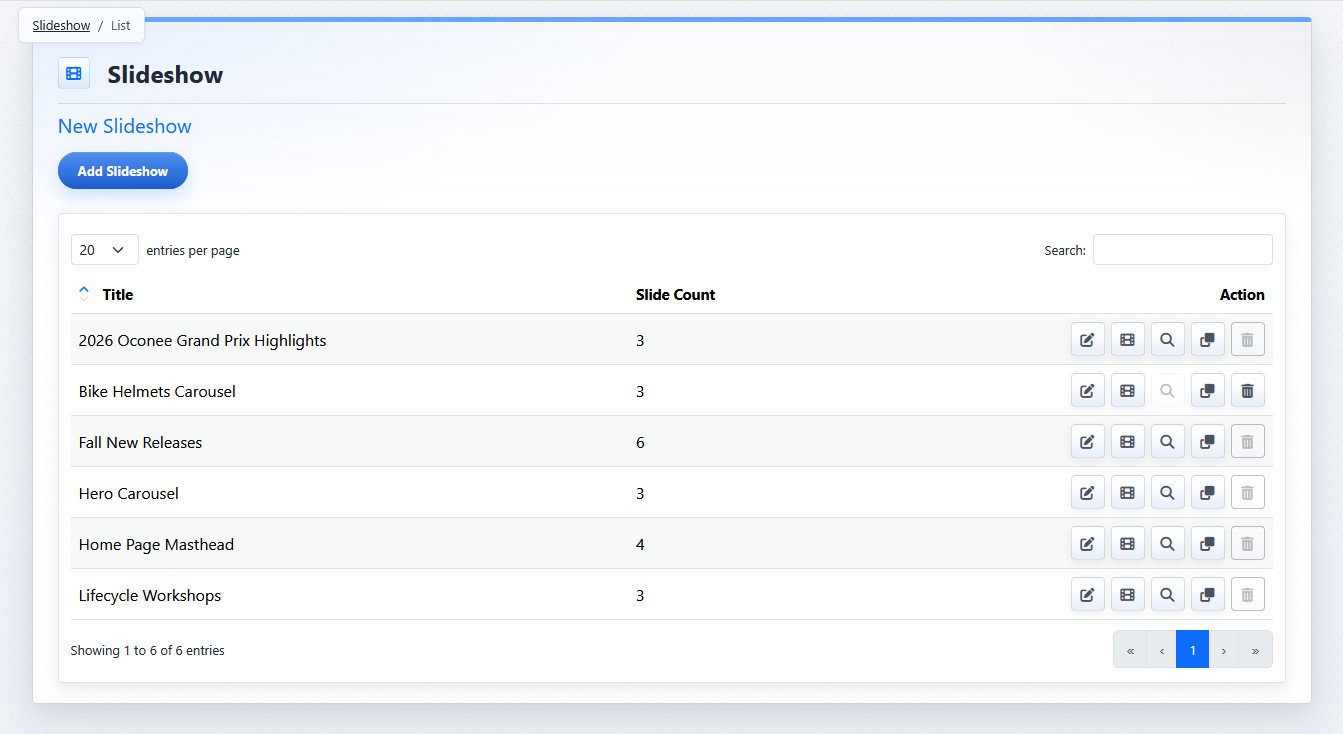
The show list view displays the slideshows currently configured for the site.
The Slideshow tool has two main management levels:
- Slideshows: the show containers that hold one or more slides.
- Slides: the individual images or videos that appear inside a slideshow.
When you open the Slideshow tool, the show list view displays the slideshows currently configured for the site.
Each slideshow row includes the slideshow title, slide count, and action buttons.
The slideshow title is used to identify the slideshow in the CMS and when selecting a slideshow for display on a page.
The slide count shows how many slides belong to the slideshow.
Important Settings Concepts
Show-level settings control the slideshow container, including title, aspect ratio, slide alignment, and image sizing.
Slide-level settings control the individual slide, including publish status, media, caption, buttons, position, and appearance.
Page-level settings control how a selected slideshow appears on one specific public page. Page-level settings do not change the master slideshow or other pages where the same slideshow appears.
The controls you see depend on your CMS permissions. Users with restricted permissions may not be able to access all features.
Learn More
For creating and managing slideshow records, see Creating and Managing Slideshows. For working with slides inside a show, see Managing Slides in a Slideshow. For page-level setup, see Adding a Slideshow to a Page.