 Ask Alvin (AI Chat)
Using Steps, Section Text, and Divider Lines
Steps, Section Text, and Divider Lines are section elements used to organize a form. They do not work like standard input fields, but they can make longer forms easier to understand and complete.
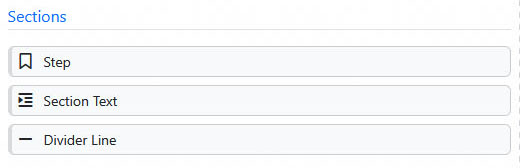
Section elements help organize longer forms with steps, instructional text, and divider lines.
Steps
Step divides a form into separate stages. Users complete one step at a time and move through the form in sequence.
Use steps when a form has several groups of questions or when the form would feel too long as a single page.
The public form can display step icons or a progress indicator, depending on site settings. These indicators help users understand where they are in the form.
Section Text
Section Text adds informational text inside the form. It can be used for instructions, explanations, headings, disclaimers, or other non-input content.
Section Text uses a rich text editor, so it can include formatted text and links.
Dividers
Divider Line adds a horizontal line between parts of the form.
Use divider lines to create a visual separation between sections without adding extra instructions.
Section elements can still include settings such as Hidden and Exclude from Email. Because they do not collect normal user input, their available settings are more limited than standard fields.
Learn More
For adding and arranging fields, see Building a Form with Field Management. For configuring selected fields, see Configuring Form Fields and Layout.