 Ask Alvin (AI Chat)
Understanding Calendar Event Actions and Bulk Actions
The Calendar list view includes row actions for individual events and bulk actions for selected events.
The controls you see depend on your CMS permissions. Users with restricted permissions may not be able to access all features.
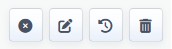
Calendar event row actions let you publish or unpublish, edit, review history, or delete an event.
Calendar Row Actions
| Action | What It Does |
|---|---|
 |
Publish changes an unpublished event to published so it can appear publicly. |
 |
Unpublish changes a published event to unpublished so it remains saved in the CMS but is no longer public. |
 |
Edit opens the event detail view so you can update the event's title, details, organizer, venue, schedule, categories, tags, or preview image. |
 |
History opens saved versions of the event so you can review or restore earlier changes. |
 |
Delete permanently removes the event after confirmation. Deleting an event removes it from the Calendar tool and cannot be undone. |
Bulk Actions
Bulk actions apply to selected events.
To use bulk actions:
- Open the Calendar tool from the Plugins accordion.
- Select the Published or Unpublished tab.
- Select one or more events.
- Open the Bulk Actions menu.
- Choose the action you want to apply.
The available bulk action options depend on the tab you are viewing.
In the Published tab, bulk actions can include:
- Unpublish
- Delete
In the Unpublished tab, bulk actions can include:
- Publish
- Delete
Review selected events carefully before using bulk actions, especially bulk delete.
Learn More
For event history, see Using Event History. For editing event details, see Adding or Editing a Calendar Event.