 Ask Alvin (AI Chat)
Setting Page Visibility and Indexing
Use Active? and Index this page? to control two separate page behaviors: whether a page appears in generated public navigation and whether it is marked as indexable for search engines.
The controls you see depend on your CMS permissions. Users with restricted permissions may not be able to access all features.
The visibility and indexing controls are found in the page edit view. The image below shows the SEO Options, Advanced Options, and Additional Options accordions before they are expanded.
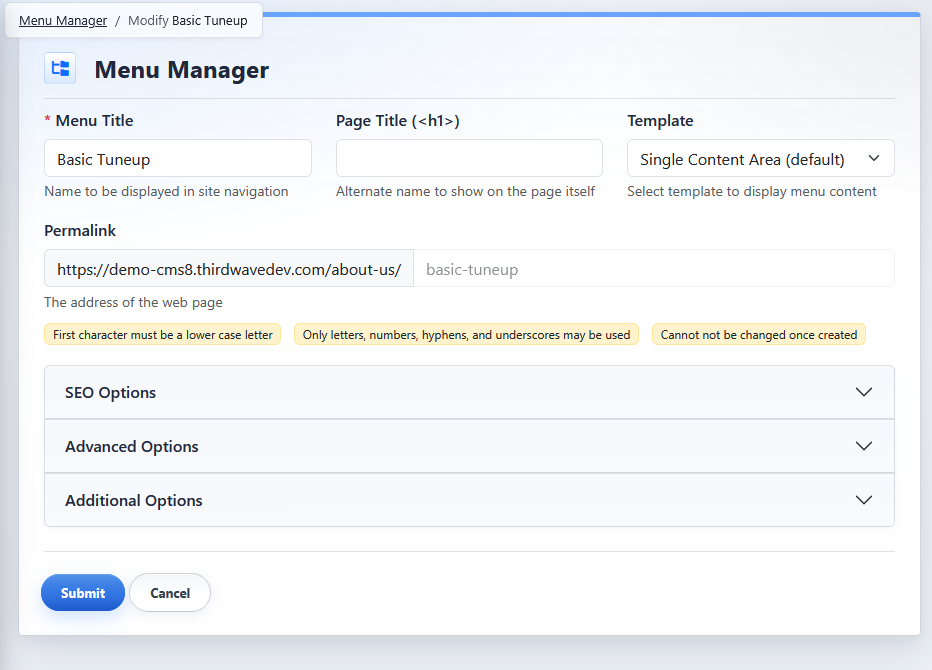
The page edit view groups visibility and indexing controls inside the SEO Options and Advanced Options accordions.
Set Navigation Visibility
The Active? toggle is in Advanced Options in the edit view of an individual page. When Active? is on, the page is included in generated public navigation. When Active? is off, the page is hidden from generated public navigation.

Turning Active? off does not remove the page from the CMS and does not necessarily block search engine indexing or direct URL access.
Set Search Indexing
The Index this page? toggle is in SEO Options in the edit view of an individual page. When Index this page? is on, the page is marked as indexable. When Index this page? is off, the page is marked as no-index.
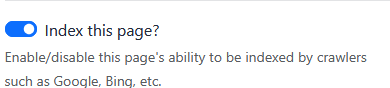
Index this page? affects indexing behavior. It does not control whether the page appears in generated public navigation.
Understand List View Statuses
In the Menu Manager list view, a page can show status indicators for visibility and indexing.
 |
HIDDEN means the page is hidden from generated public navigation. |
 |
NO-INDEX means the page is marked as not indexable. The lock icon means the page is password protected. |
Update Multiple Pages
Use Bulk Actions from the Menu Manager list view to change these settings for multiple pages. Set to Inactive and Set to Active update navigation visibility. Set to No-Index and Set to Indexable update indexing behavior.
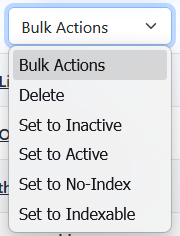
For help selecting pages before applying a bulk action, see Selecting Pages and Using Bulk Actions.
Child pages can also be governed by parent page behavior. See Understanding Inherited Page Settings for Subpages.