 Ask Alvin (AI Chat)
Managing Email Groups for Form Notifications
Email Groups are reusable recipient lists for form submission notifications. Instead of entering notification recipients separately on every form, you create an Email Group once and select it in Form Setup.
Open Email Groups from the Form Builder list view.
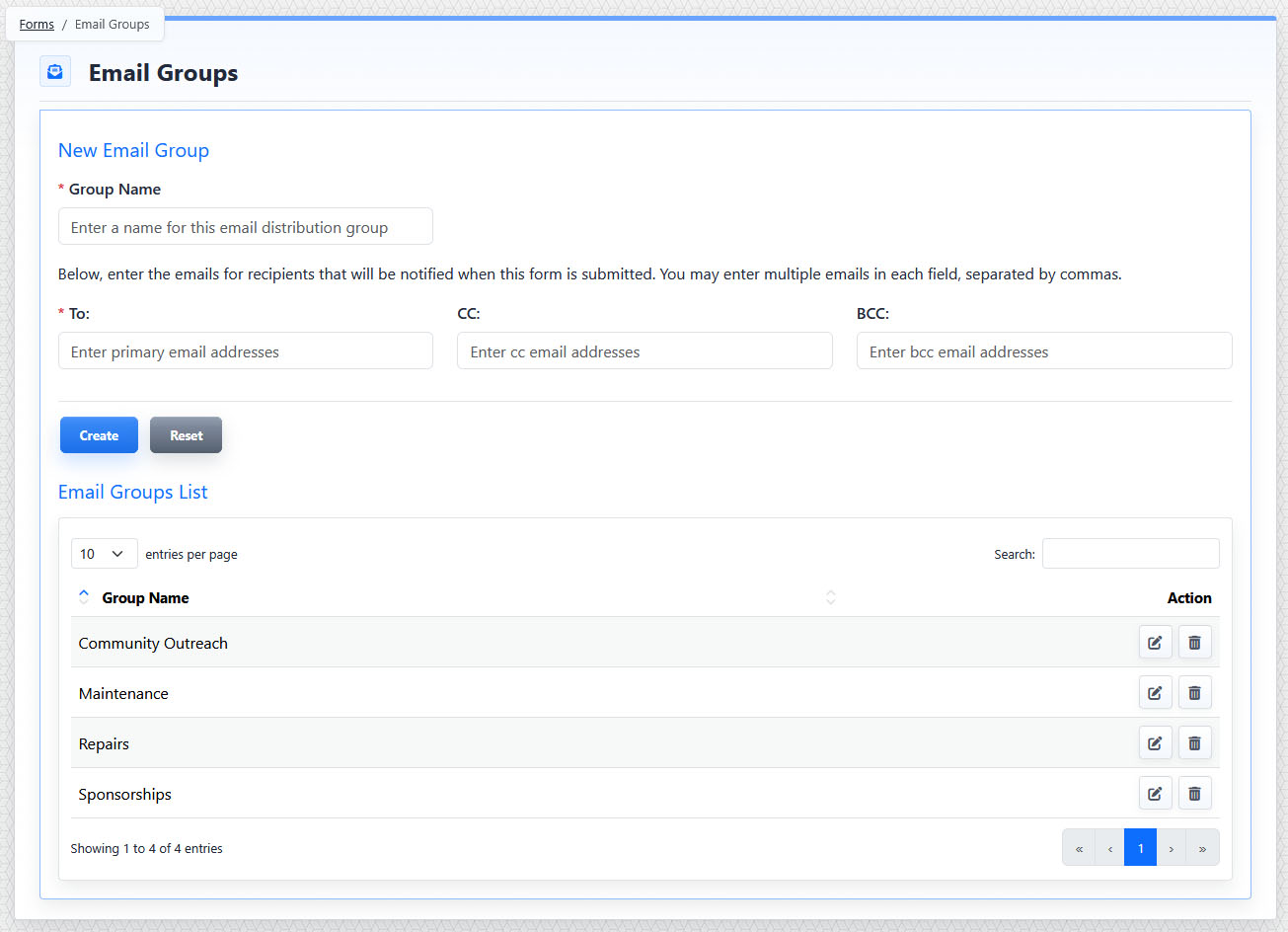
The Email Groups Management view includes a form for creating or editing a group and a list of existing email groups.
The Email Groups view includes two main areas:
- New or Edit Email Group form
- Email Groups List
The Email Group form includes:
- Group Name
- To
- CC
- BCC
Group Name is the descriptive name used to identify the group in Form Setup.
To contains the primary email recipients for form notification messages.
CC contains recipients who should receive a copy of the notification.
BCC contains recipients who should receive a blind copy of the notification.
Multiple email addresses can be entered in each recipient field. Separate each email address with a comma.
Creating and Editing Email Groups
Click Create to create a new email group. When editing an existing group, click Update to save changes.
Use Reset to clear the form without saving changes.
The Email Groups List shows existing groups. Use the row actions to edit or delete a group.
Edit loads the selected group into the Email Group form so it can be updated.
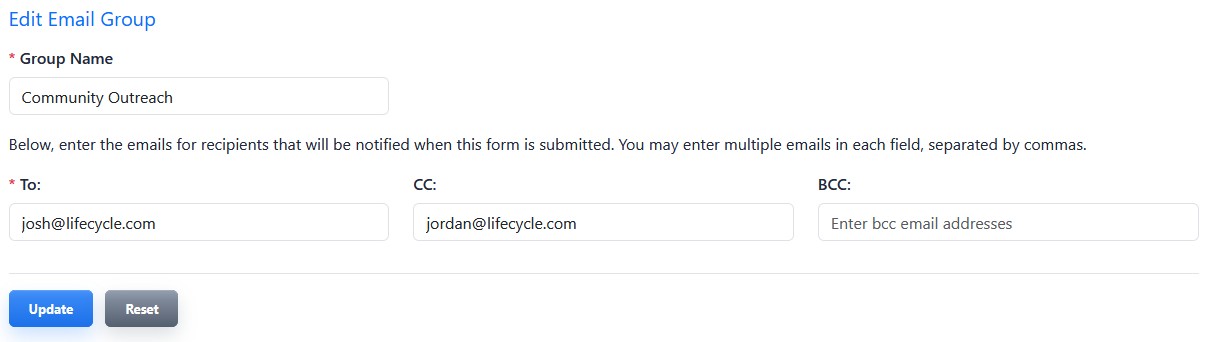
An existing email group can be edited by updating the group name and recipient fields.
Deleting Email Groups
Delete permanently removes the email group.
If an email group is deleted, forms that previously used that group will continue collecting and saving submission data, but those forms will no longer send notification emails until a new email group is selected.
The controls you see depend on your CMS permissions. Users with restricted permissions may not be able to access all features.
Learn More
For selecting an email group on a form, see Configuring Form Notifications and Email Behavior. For reviewing form submissions directly in the CMS, see Viewing, Filtering, Exporting, and Deleting Form Submissions.