 Ask Alvin (AI Chat)
Managing Calendar Organizers
Organizers are reusable contact records that can be assigned to calendar events.
Use organizers when an event should display a person or contact associated with the event.
The Organizers module is opened from the Calendar tool using the Organizers button.
Organizer List View
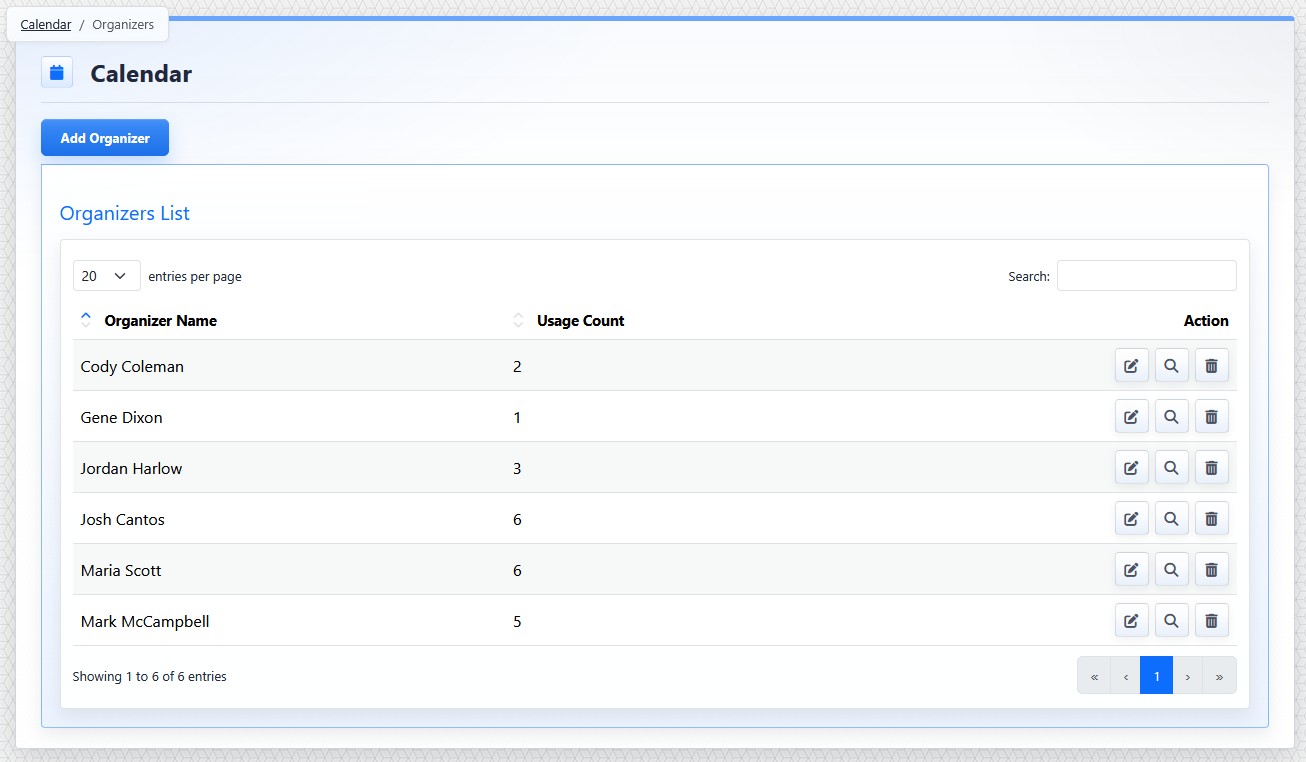
The organizer list view shows existing organizers, usage counts, and organizer action buttons.
The organizer list view shows existing organizers. Each row includes the organizer name, usage count, and action buttons.
Usage Count shows how many events are associated with that organizer.
Organizer row actions include:
- Edit: opens the organizer detail view.
- View Usage: opens the Calendar event list filtered to events using that organizer.
- Delete: removes the organizer when deletion is allowed. Review usage before deleting so you understand which events are connected to the organizer.
Organizer Detail View
The organizer detail view is used to create or edit organizer records.
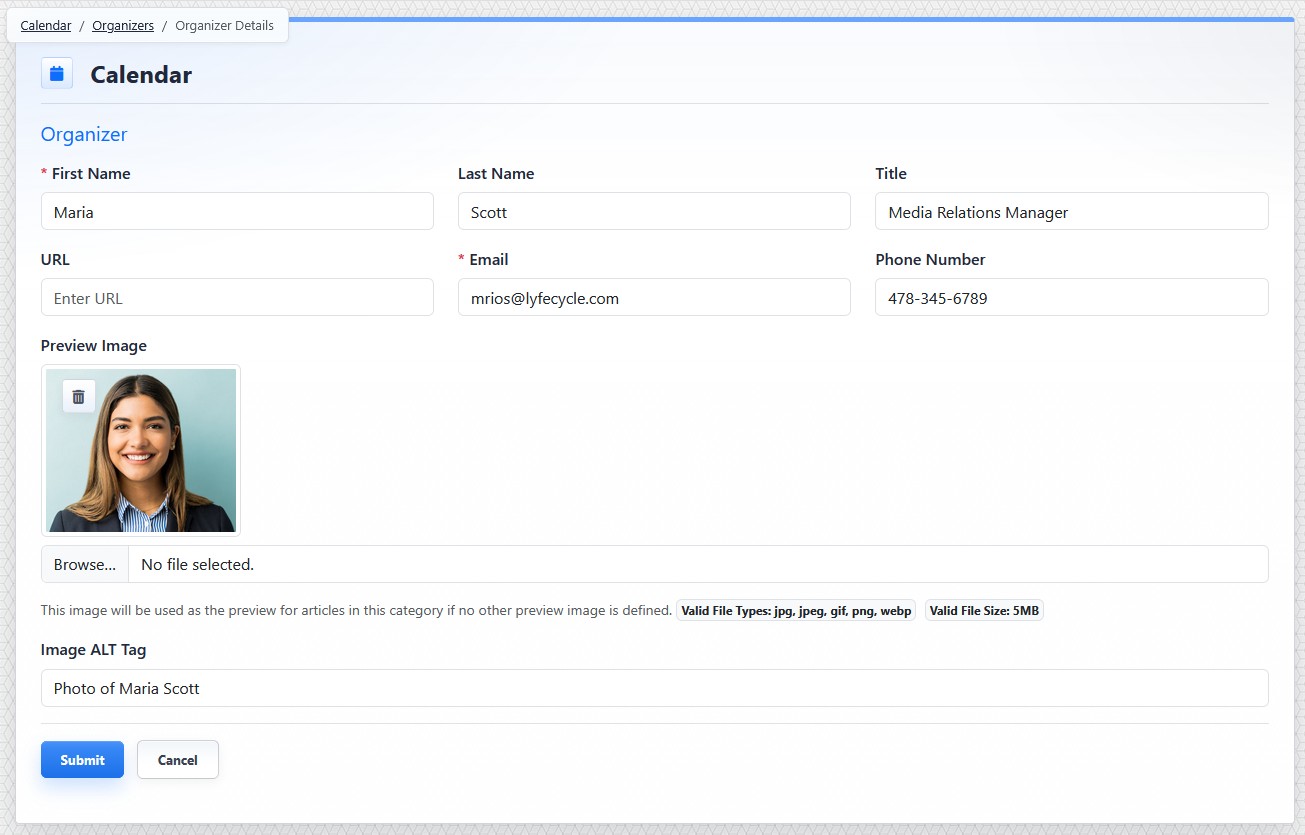
The organizer detail view stores contact information and an optional organizer image.
Organizer fields include:
- First Name
- Last Name
- Title
- URL
- Phone Number
- Preview Image
- Image Alt Tag
First Name and Email are required.
Organizer email addresses must be unique.
The preview image can be used for a profile photo or other organizer image. Use Image Alt Tag to describe the image.
Creating an Organizer
To create an organizer:
- Open the Calendar tool from the Plugins accordion.
- Click Organizers.
- Click Add Organizer.
- Complete the organizer fields.
- Add a preview image and alt text when needed.
- Click Submit.
Editing an Organizer
To edit an organizer:
- Open the Organizers module.
- Find the organizer.
- Click the organizer's Edit button.
- Update the needed fields.
- Click Submit.
The controls you see depend on your CMS permissions. Users with restricted permissions may not be able to access all features.
Learn More
For assigning an organizer to an event, see Adding or Editing a Calendar Event. For venue records, see Managing Calendar Venues.