 Ask Alvin (AI Chat)
Managing Blog Authors
The Author Manager stores author profiles used by Blog posts and CMS replies to comments.
Open the Author Manager from the Blog list view by clicking Authors.
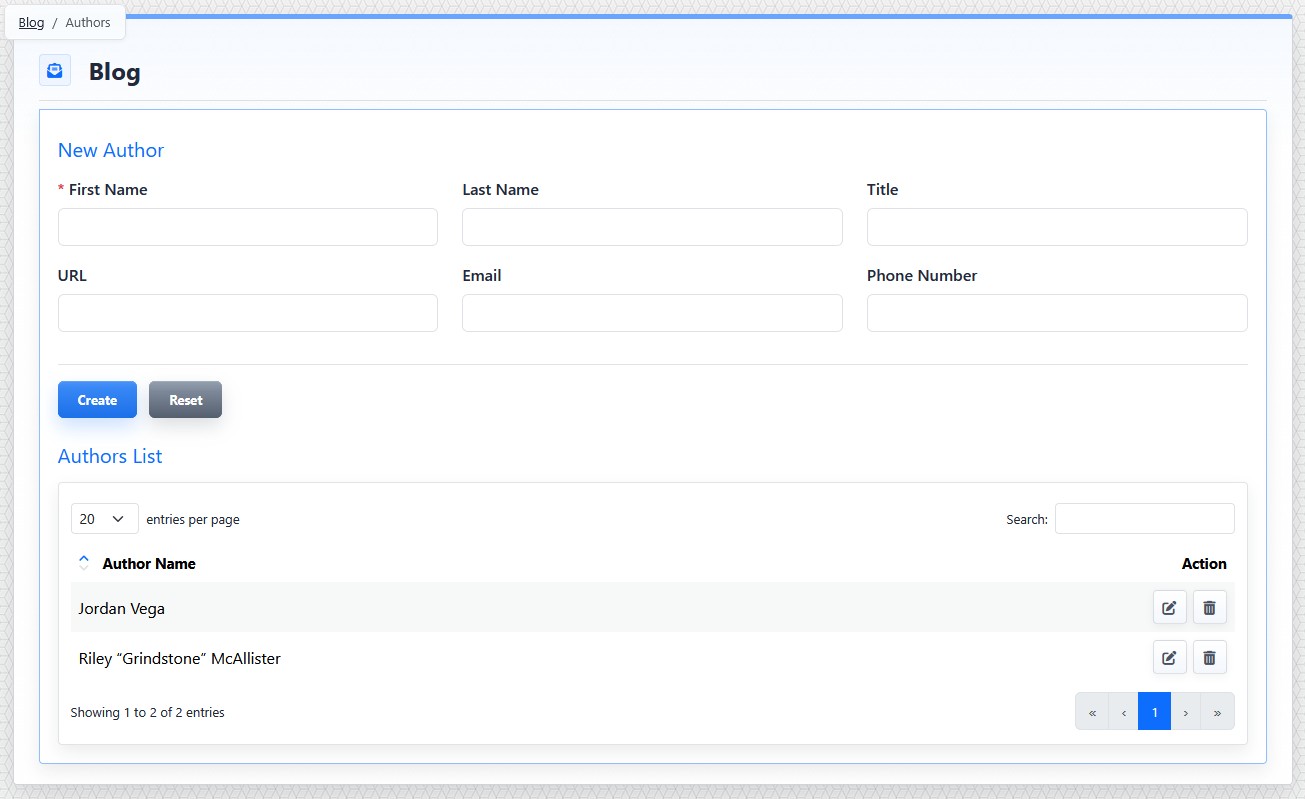
The Author Manager includes a form for creating authors and a list of existing author records.
Author Fields
The Author Manager includes a form for creating or editing authors and a list of existing authors.
Author fields can include:
- First Name
- Last Name
- Title
- URL
- Phone Number
First Name is required. Email must be a valid email address when entered.
Author records can be selected in the Author field when creating or editing a blog post.
Author records can also be selected when a CMS user replies to a visitor comment. This lets the reply appear under a specific author identity rather than under the CMS user's account.
An Anonymous option is available for replies when no named author should be displayed.
Create or Edit an Author
To create an author:
- Open the Blog tool from the Plugins accordion.
- Click Authors.
- Complete the author fields.
- Click Create.
To edit an author:
- Open the Author Manager.
- Find the author in the list.
- Click the author's Edit button.
- Update the needed fields.
- Click Save.
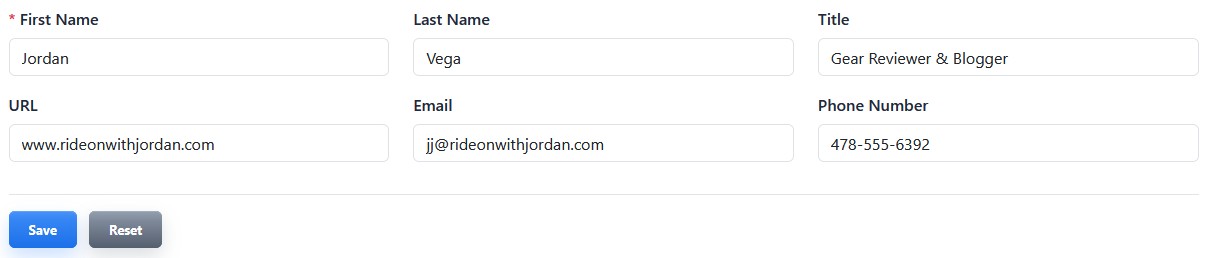
Edit an author to update reusable author details for posts and CMS replies.
Deleting an author removes that reusable author record. Review affected posts and comment replies before deleting an author.
The controls you see depend on your CMS permissions. Users with restricted permissions may not be able to access all features.
Learn More
For assigning an author to a post, see Setting Blog Post Details and Comment Options. For replying to visitor comments as an author, see Replying to Blog Comments.