 Ask Alvin (AI Chat)
Creating Subpages in the Menu Manager
Use the Add New Sub Menu button to create one child page under an existing parent page.
The Add New Sub Menu button depends on your CMS permissions. Users with restricted permissions may not be able to create subpages.
Create the Subpage
To create a subpage, follow these steps.
- Open the Menu Manager from the System accordion.
- Find the page that should become the parent page.
- Click the parent page's Add New Sub Menu button (shown below).
- Enter the new page's Menu Title.
- Review the Template and generated Permalink.
- Click Submit.

Where the Subpage Appears
The new page is created beneath the selected parent page. It is added to the bottom of that parent's child-page list.
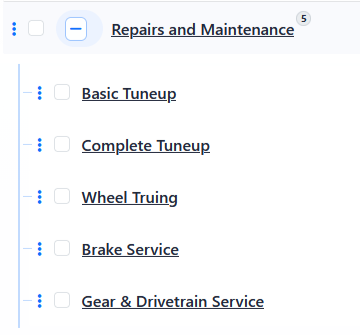
After the subpage is created, expand the parent page in the Menu Manager list to see the child page beneath it.
For more about page hierarchy, see Understanding Page Hierarchy in the Menu Manager. To create several subpages at once, see Creating Multiple Pages or Subpages.
Child pages can be affected by parent page settings such as visibility, indexing, and password protection. See Understanding Inherited Page Settings for Subpages.