 Ask Alvin (AI Chat)
Configuring Blog Page Category Selection
The Category Picker controls which categories of posts appear on a specific public Blog page.
These settings are managed from the public page while the page is open in Edit mode.
Category Picker
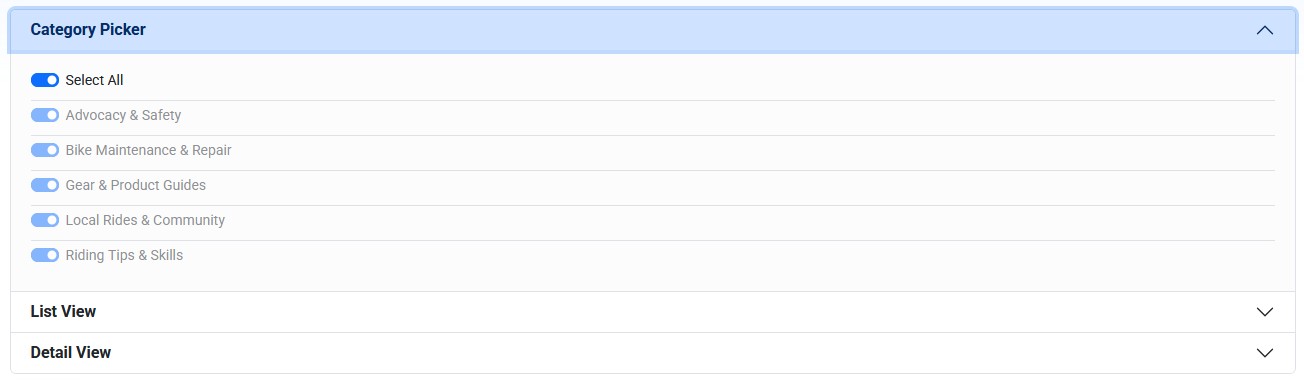
The Category Picker controls which Blog categories are eligible to display on the current public Blog page.
The Category Picker affects only the Blog page you are editing. It does not change the post records themselves.
When Select All is on, the page can display posts from all available categories.
When Select All is off, individual category toggles become available. Turn on only the categories that should appear on that page.
Use category selection when different Blog pages should show different groups of posts. For example, one Blog page might show product guides, while another shows community stories.
Posts assigned to unchecked categories are hidden from that page, even if they are published.
Configure Category Selection
To configure category selection:
- Open the public Blog page in Edit mode.
- Open Category Picker in the module settings.
- Leave Select All on to include every category, or turn it off and choose specific categories.
- Click Submit.
Category Picker settings work together with the post's assigned categories. If a post is not assigned to a category selected for the page, it will not appear on that page.
Learn More
For assigning categories to posts, see Organizing and Optimizing Blog Posts. For managing category records, see Understanding Category Management.