 Ask Alvin (AI Chat)
Configuring Blog List View Layout, Filters, and Archive Behavior
List View settings control how posts appear on the public Blog landing page.
These settings are managed from the public page while the page is open in Edit mode.
List View Settings
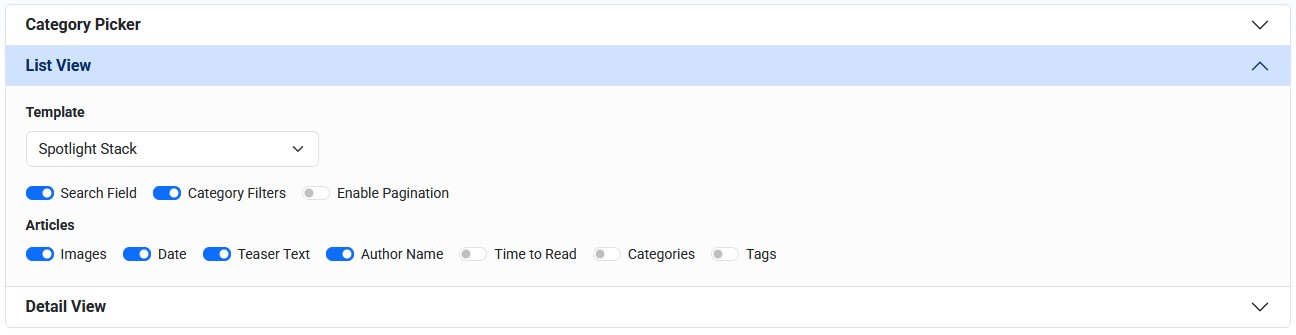
List View settings control the public Blog page layout, available filters, and post information shown in the list.
List View settings affect only the Blog page you are editing.
The Template setting controls the public layout used for post lists.
Available layouts can include:
- List
- Vertical Cards
- Horizontal Cards
- Scrolling Cards
- Large Feature
- Spotlight Stack
Use List when you want a simple vertical post list.
Use card layouts when images and visual separation are more important.
Use Scrolling Cards when the page should present a limited set of posts in a carousel-style layout.
Use Large Feature or Spotlight Stack when one featured post should receive prominent placement.
Some layouts do not support every display option. For example, carousel-style or feature-heavy layouts can limit filtering or pagination options.
The display options control which post details appear in the list view.
Page Controls
Page control options can include:
- Search Field
- Category Filters
- Enable Pagination
Search Field adds a visitor-facing search box. Searches look at post titles, teasers, and post bodies.
Category Filters add a visitor-facing category dropdown. Filters only show categories available within the current page's category selection and post set.
Enable Pagination controls whether visitors can move through multiple pages of results when the layout supports pagination.
Post Display Options
Post display options can include:
- Images
- Date
- Teaser Text
- Author Name
- Time to Read
- Categories
- Tags
The public Blog page can also include an archive view. The archive gives visitors access to older posts and can include a year filter.
Configure List View Settings
To configure List View settings:
- Open the public Blog page in Edit mode.
- Open List View in the module settings.
- Choose the template.
- Turn display options on or off.
- Turn page controls on or off.
- Click Submit.
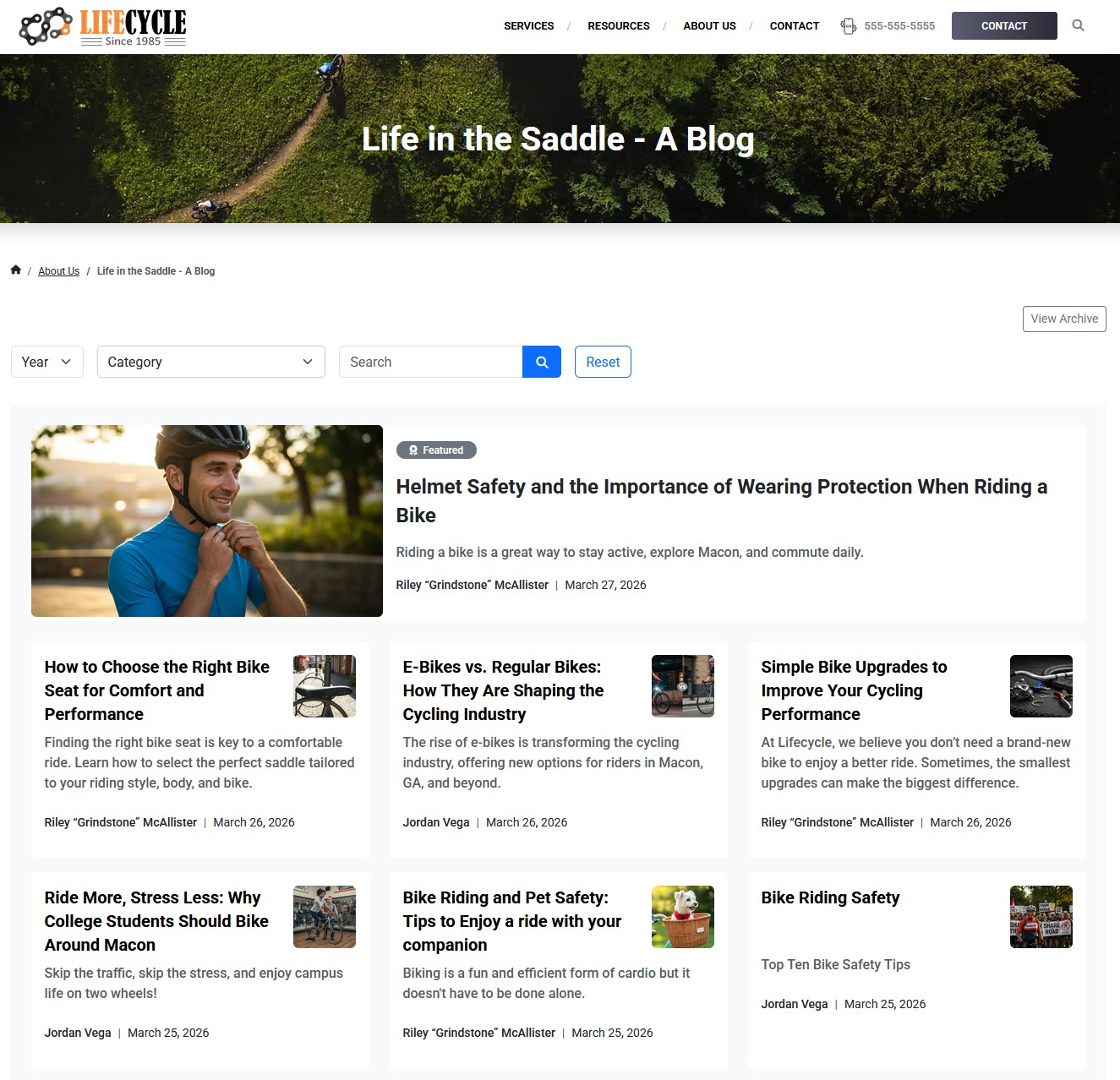
The public Blog list page can show filters, featured placement, post cards, dates, teasers, authors, and archive access depending on the selected settings.
Learn More
For category selection on the page, see Configuring Blog Page Category Selection. For the post detail page display, see Configuring Blog Detail View Options.