 Ask Alvin (AI Chat)
Adding Slide Captions and Buttons
Captions and buttons add text and calls to action to an individual slide.
Managing Captions
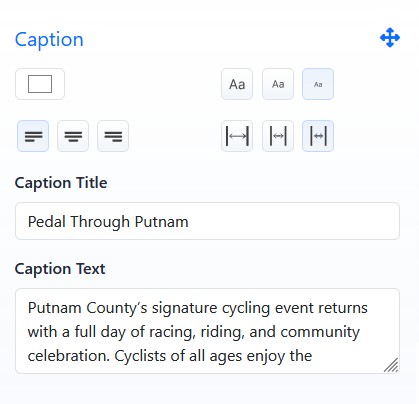
Caption fields control the text displayed with an individual slide.
Caption settings include:
- Caption Title: the main caption heading.
- Caption Text: supporting text for the slide.
- Text Color: controls caption text color.
- Font Size: controls caption text size. Choose between large, medium and small.
- Text Justification: controls left, center, or right text alignment.
- Caption Width: controls the width of the caption area. Choose between wide, medium and narrow.
Keep caption titles short and use caption text for supporting details.
Managing Buttons
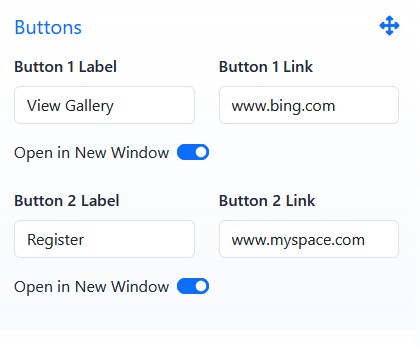
Button settings allow up to two call-to-action buttons on a slide.
Each button can include:
- Button Label
- Button Link
- Open in New Window on/off toggle
If a button label or button link is blank, that button does not appear publicly.
Use buttons when visitors should be directed to a related page, registration form, gallery, product, or other destination.
The controls you see depend on your CMS permissions. Users with restricted permissions may not be able to access all features.
Learn More
For slide media and scheduling, see Adding and Editing Slide Media. For caption placement and visual styling, see Positioning and Styling Slide Captions.