 Ask Alvin (AI Chat)
Understanding Page Permissions
Page Permissions control what a user can do on specific website pages.
The controls you see depend on your CMS permissions. Users with restricted permissions may not be able to access all features.
Open a user's Page Permissions tab to review or change page-level access.
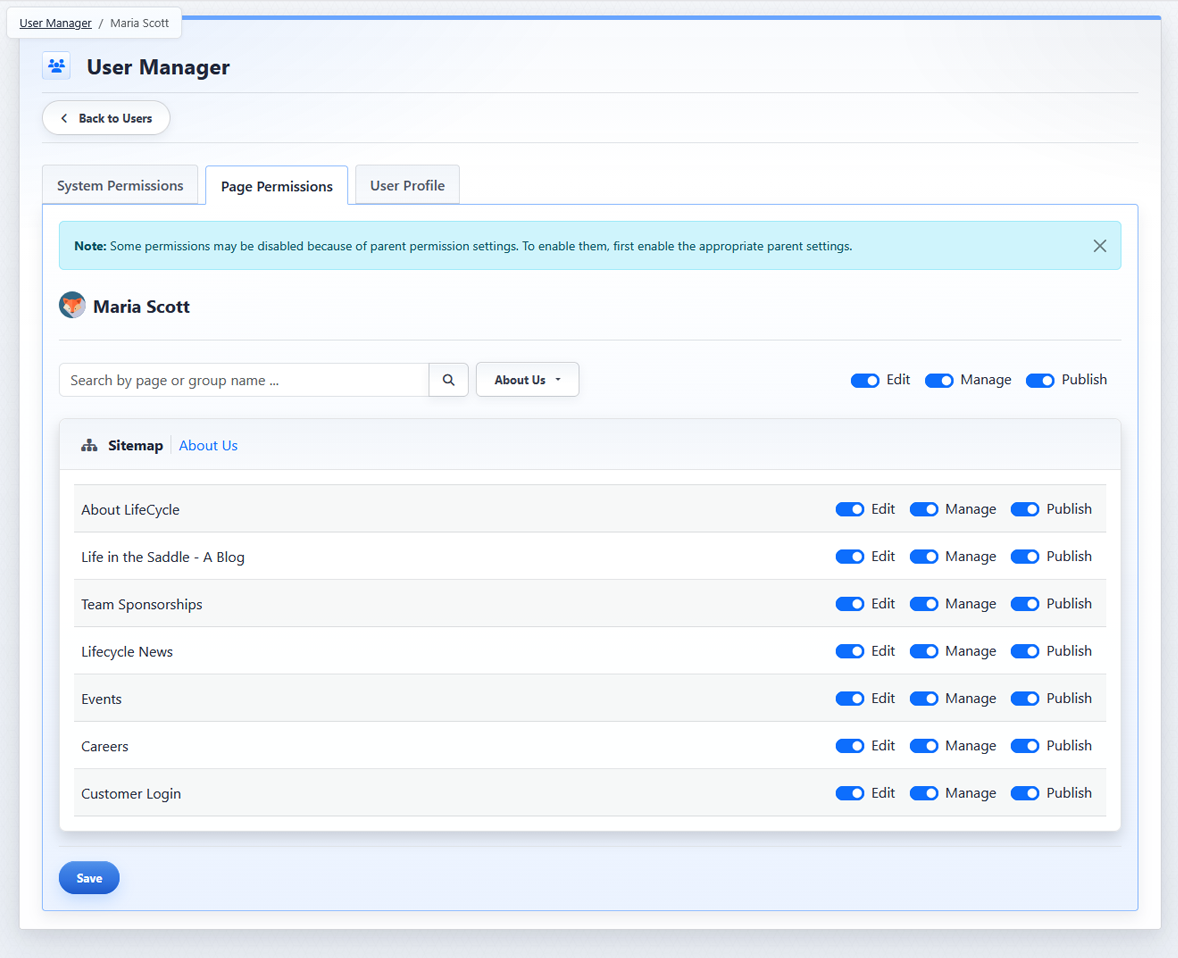
The Page Permissions tab controls what a user can do on individual website pages.
The Page Permissions tab includes:
- Section selector: changes which site section is shown. Smaller sites may have only one section. In that case, the section selector may not be shown.
- Search: helps find a page or page group within the selected section.
- Page list: shows all pages in the selected section. Pages can include parent and child relationships.
- Edit, Manage, and Publish toggles: control the user's access for pages in the selected section.
Permission Levels
- Edit: allows the user to work with existing content areas on a page.
- Manage: includes Edit access and additionally allows the user to add, delete, and reorder content areas.
- Publish: includes Manage access and allows the user to publish content changes.
The global toggles at the top of the Page Permissions tab set the maximum page permissions available in the selected section. Individual page permissions cannot exceed the global settings. For example, if Publish is off globally, Publish cannot be enabled for an individual page in that section.
Page permissions are also constrained by page hierarchy. Child page permissions cannot exceed the permissions of the parent page. For example, if Manage is off for a parent page, Manage cannot be enabled for one of that page's child pages.
Because of these constraints, an individual page permission depends on three things:
- The global toggles at the top of the Page Permissions tab.
- The parent page permissions, if the page is nested under another page.
- The individual page toggles for the page itself.
Learn More
For setting permissions on specific pages, see Setting Page Permissions for Individual Pages.