 Ask Alvin (AI Chat)
Setting Plugin Permissions
Plugin permissions control access to CMS plugin tools.
The controls you see depend on your CMS permissions. Users with restricted permissions may not be able to access all features.
To set plugin permissions:
- Open the User Manager from the System accordion.
- Find the user on the Users tab.
- Click the user's Edit button.
- Open the System Permissions tab.
- Expand the Plug-Ins permission group.
- Review the group-level toggles for the Plug-Ins group.
- Locate the plugin you want to update.
- Turn the needed permission toggles on or off.
- Click Save.
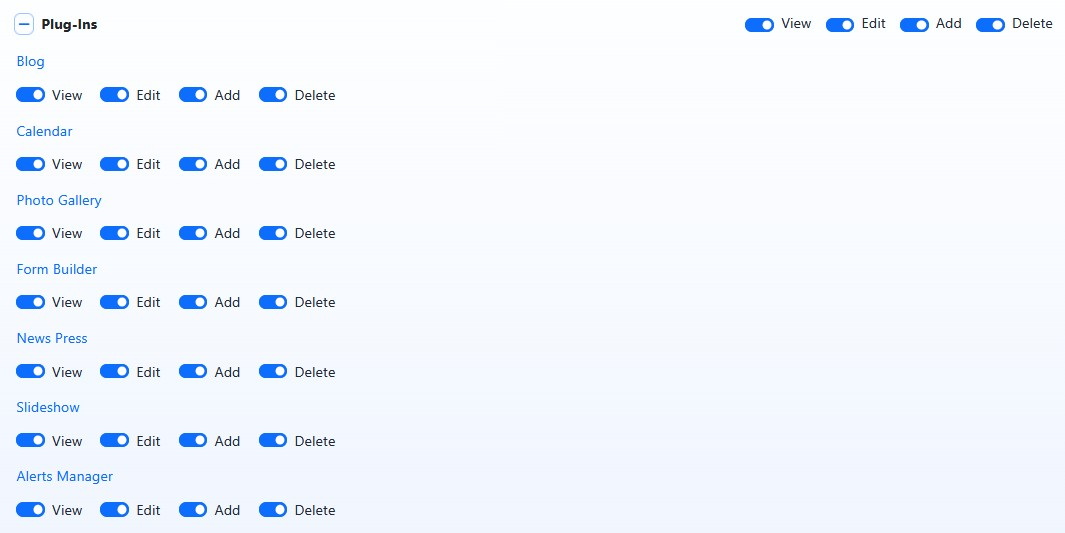
The Plug-Ins group controls permissions for CMS plugin tools.
Plugin Permission Toggles
Plugin permissions can include tools such as:
- Blog
- Calendar
- Photo Gallery
- Form Builder
- News Press
- Slideshow
- Alerts Manager
All plugins use View, Edit, Add, and Delete permissions.
View allows the user to see the plugin. Edit allows the user to update existing plugin entries. Add allows the user to create new plugin entries. Delete allows the user to remove plugin entries.
Individual plugin permissions cannot exceed the Plug-Ins group-level permissions. If a permission is unavailable for an individual plugin, review the Plug-Ins group toggles first.
The exact effect of each permission depends on how that plugin manages its content.
Learn More
For the general permission model, see Understanding System Permissions.