 Ask Alvin (AI Chat)
Configuring Photo Gallery Modal Settings
Modal Settings control the lightbox display that opens when a visitor clicks a gallery image.
These settings apply only to the Photo Gallery content block on the current page.
Open Modal Settings in the Photo Gallery content block to configure the image modal.
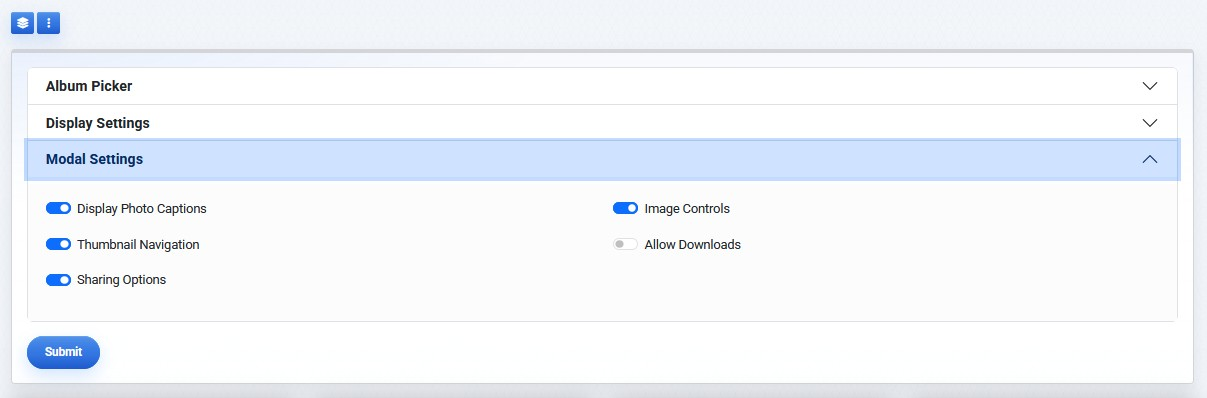
Modal Settings control the visitor lightbox experience after a photo is opened.
Modal Settings include:
- Display Photo Captions
- Thumbnail Navigation
- Image Controls
- Allow Downloads
- Sharing Options

Display Photo Captions shows the image title and description in the modal.
Thumbnail Navigation displays small preview thumbnails in the modal so visitors can move between images.
Image Controls displays controls such as zoom, fullscreen, and slideshow playback.
Allow Downloads enables download options for visitors.
Sharing Options displays social sharing controls.
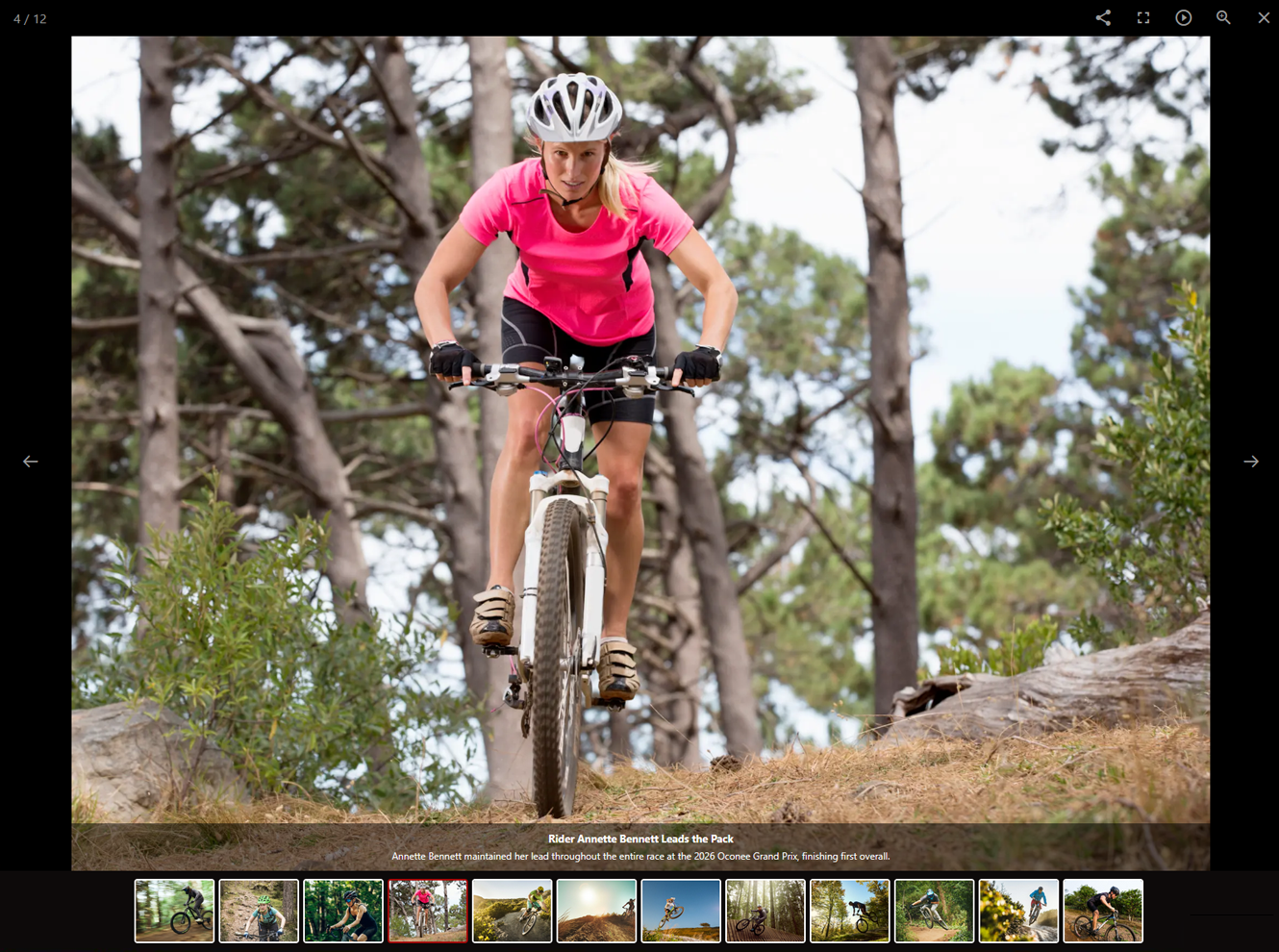
The modal view opens when a visitor selects a gallery image.
Modal settings affect how visitors interact with photos after opening them. They do not change the album, photo metadata, or thumbnail layout on the page.
Learn More
For thumbnail layout, titles, and display order, see Configuring Photo Gallery Display Settings.