 Ask Alvin (AI Chat)
Adding Custom Code to a Page
Use Additional Options to add page-level code at predefined insertion points, such as adding a tracking pixel to a single page.
Changes to these fields depend on your CMS permissions. Users with restricted permissions may not be able to access all features.
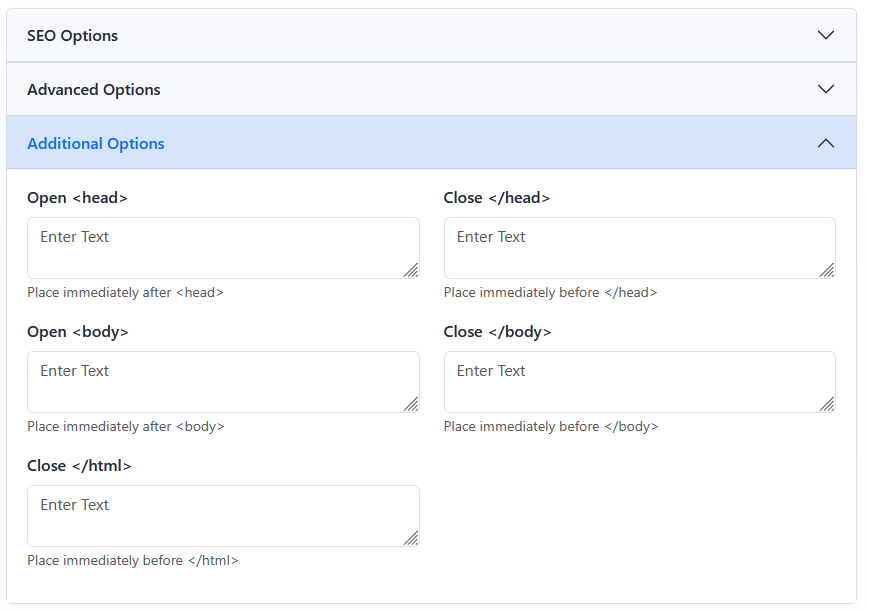
The Additional Options section provides page-level code insertion points for advanced use cases.
Open Additional Options
- Open the Menu Manager from the System accordion.
- Find the page you want to update.
- Click the page's Edit button.
- Open the Additional Options accordion.
- Enter the needed code in the appropriate field.
- Click Submit.
Available Insertion Points
Open
places code immediately after
.
Close places code immediately before .
Open
places code immediately after
.
Close places code immediately before .
Close places code immediately before .
Use Carefully
Code entered in Additional Options is output on the page. Incorrect or incomplete code can affect the page's markup, tracking, or display.
Learn More
For other page behavior fields, see Using Advanced Page Options.